To reflect the KPI variability we see in the public transport industry, we’ve updated how KPIs can be configured in Mosaiq Insights. By configuring your unique KPIs in Insights, the number you see on your contract will match the one you see in the platform. You can quickly and easily complete your reporting in one place - no spreadsheets or extra calculations required!
What we've released
We’ve updated the engine that powers KPI calculations. Rather than applying a fixed formula, KPIs can now be configured from any underlying raw data value that exists in Mosaiq*. That means we can support a significantly wider range of user-specific definitions - including configurations that weren't previously possible.
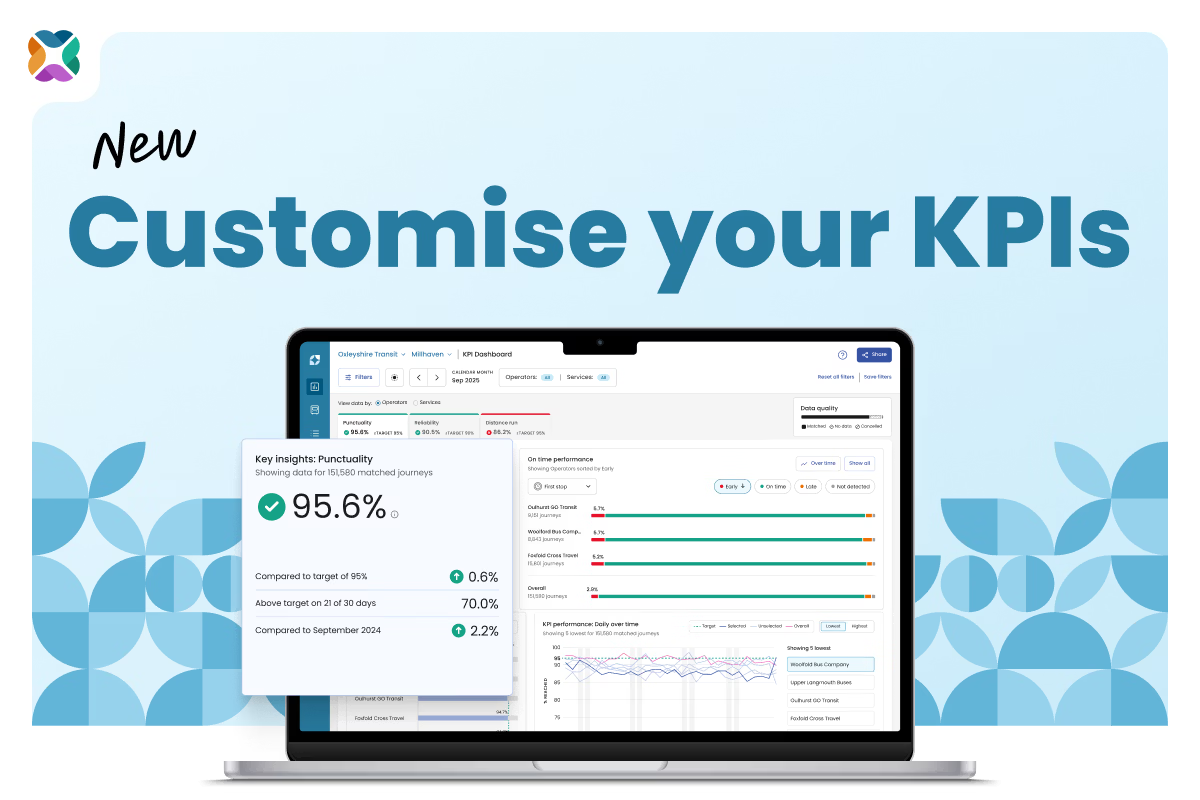
Mosaiq is also no longer limited to displaying only Punctuality and Reliability tabs on the KPI Dashboard. If your contract has multiple KPIs, you can see each of these in the product, each with its own tab, its own target, and its own plain-text definition.
Distance run now has its own dedicated tab as well, sitting alongside your other contractual KPIs with the prominence it deserves.
Finally, we've added a “Key insights” widget that sits within each KPI dashboard tab. This widget is based on your selected filters and helps you quickly understand how much data is being used to generate your insights; what the KPI means in plain text; performance against target; and more.
What this means in practice
For operators entering or mid-way through contract transitions, this is particularly relevant. Under deduction-only contracts, KPI accuracy has direct financial consequences. Running two KPI regimes simultaneously – legacy and new – during a transition period is now something Mosaiq supports.
For authorities, it means the KPIs you set for your operators can be reflected in the same tool your operators use to monitor performance. The same definitions, the same numbers, in one place.
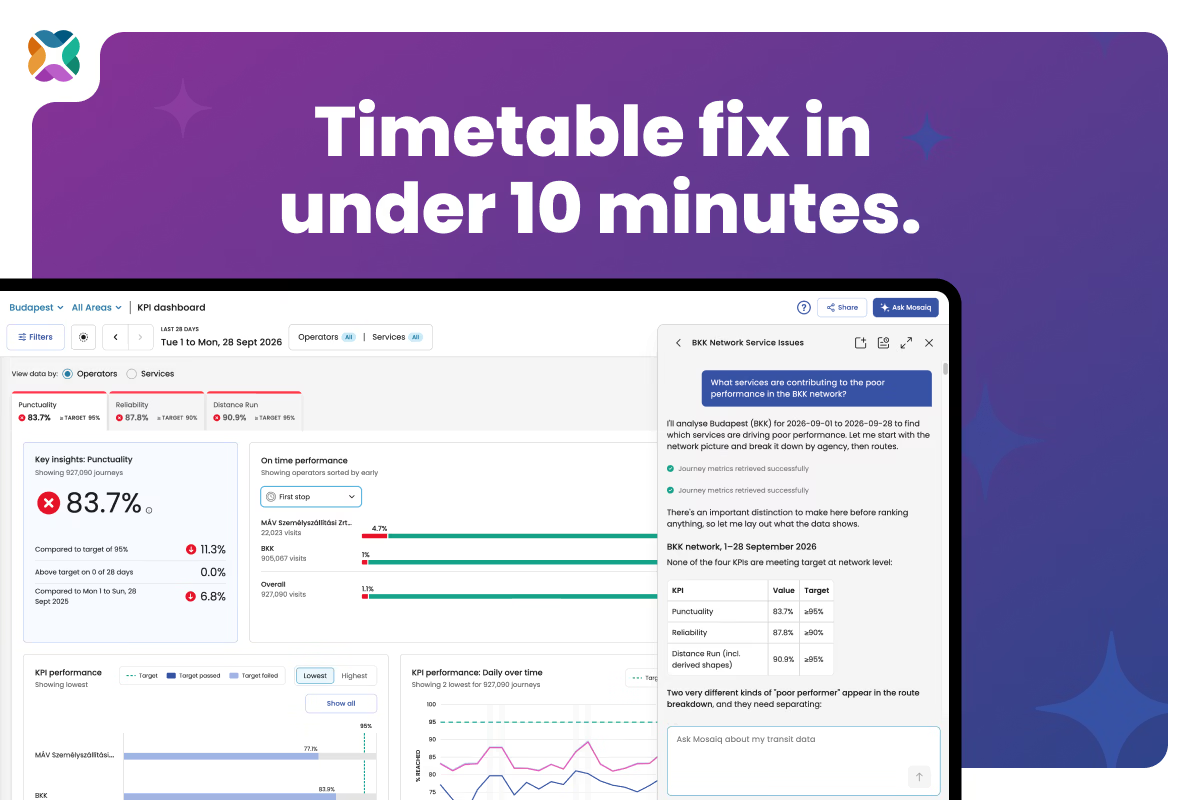
For analysts managing daily KPI monitoring across multiple contracts or regions, it means opening one tool and seeing what you need – whether you're drilling into a specific trip or pulling together the figures for your next board report – without building a parallel tool to do it.
A note for existing users
If you're an existing Mosaiq Insights user, your formulas have been migrated automatically and your KPI numbers haven't changed. The only difference you’ll see is that Distance run now has its own tab on the KPI dashboard, and that there is a new Key Insights widget on each tab.
If you've been working around a KPI definition in Mosaiq Insights that doesn't quite match your contract, or your contractual obligations include more than two KPIs, now is a good time to revisit your configuration. Get in touch with your customer success representative to discuss what’s possible.
*Note: Some KPI definitions remain unsupported if the required underlying data doesn't exist in Mosaiq.
Stay connected
Want to be the first to know about the latest Mosaiq updates? Make sure to check our Release Notes regularly. To get monthly updates direct to your inbox, sign up to our mailing list.